
|
Home Table of Contents News Dev Blogs Gallery Timeline Legend Tags Sponsors |
|
Join us on... |

|

|

|

|
|
Home Table of Contents News Dev Blogs Gallery Timeline Legend Tags Sponsors |
|
Join us on... |
|
|
|
Current: Month Day, Year
Usually an .mhm file from MakeHuman 1 should also load in MakeHuman 2, especially when you use standard morphs (.targets) or assets. You should be aware where your user home folder (abbreviated as USERHOME) is, you can check that in preferences if needed. Anyway it is best to check the missing files while loading by either run the program with a debug option from CLI or switch on debug messages for file access and check log messages.
Some commands no longer supported, e.g.
missing assets
A message: asset is neither available in user or system path will occur for a missing asset. You can copy that asset into the appropriate folder.
Given your asset mycloth is in a makehuman1 folder named:
myuserDocs/makehuman/v1py3/data/clothes/mycloth
You can copy that folder to:
USERHOME/data/clothes/hm08/mycloth
Usually the copied folder contains a .thumb file, .obj file, .mhclo file, .mhmat file and textures. Please delete .mhpxy and .npz file, these were the old pregenerated binary files for quicker access. MakeHuman 2 works similar, it will generate an .mhbin file for .obj and .mhclo file when you supply asset first time.
materials and default shader
Old MakeHuman 1 was written for openGL shaders up to version 1.2. The new version supports PBR shading. Some of the most common errors will be missing litspheres. In case of a missing litsphere MakeHuman 2 uses phong shading. It is also possible to work with litspheres, these can be added from the additional assets, but we recommend PBR shaders because these allow better materials.
Another common problem is the ambient occlusion color. Old materials had often be saved with a dark grey value. Simply change this to a light white.
missing morphs (targets)
Missing morphs or targets can be found in information menu. Select memory info and missing targets.
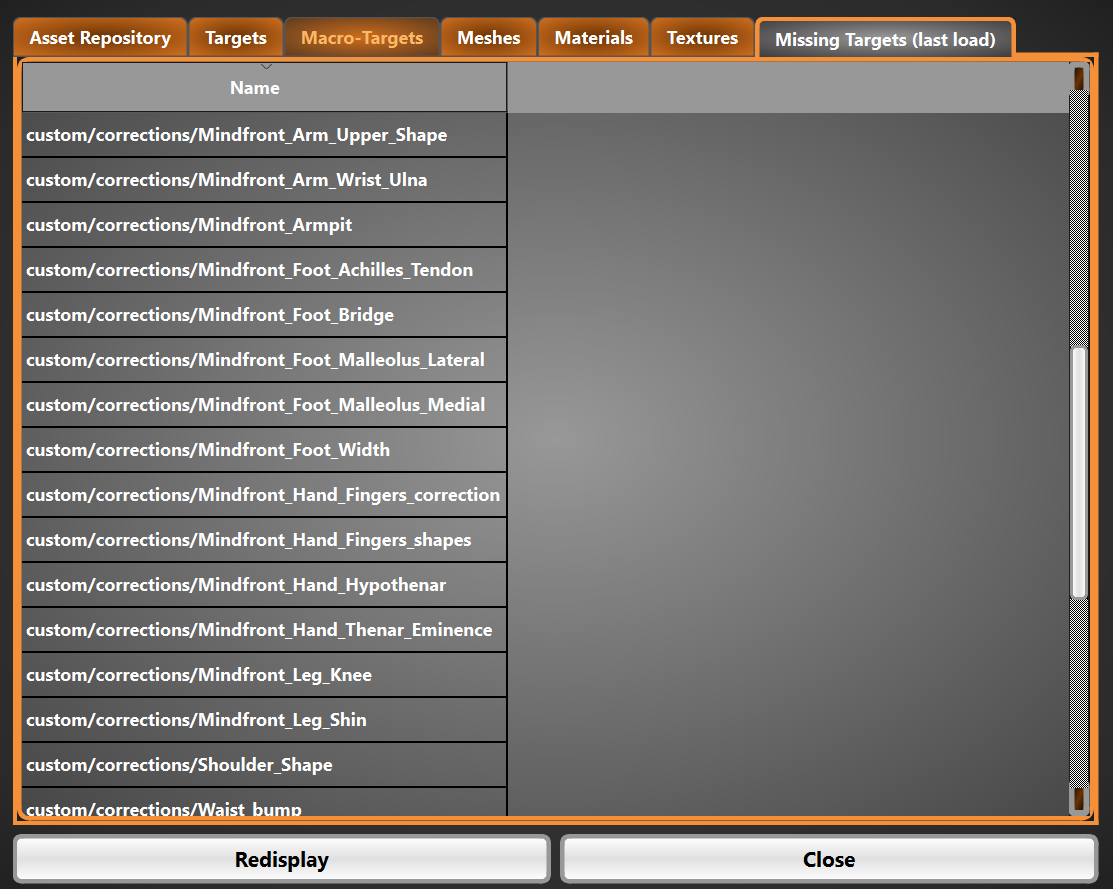
Normally these are the targets from the former MakeHuman 1 custom folder. The path is still named custom, but this is just a hint for the program. MakeHuman2 searches these targets in USERHOME/data/target/hm08, so in your user targets. So just copy the targets or also folders containing targets straight into this folder.
Hint: Do NOT use the contarget folder for your targets (this would be the system target folder for base meshes completely in user space)!