
|
Home Table of Contents News Dev Blogs Gallery Timeline Legend Tags Sponsors |
|
Join us on... |

|

|

|

|
|
Home Table of Contents News Dev Blogs Gallery Timeline Legend Tags Sponsors |
|
Join us on... |
|
|
|
Current: Month Day, Year
Information for customization of eyes and eye-materials.
MakeHuman2 uses two different eye-meshes. A low polygon mesh with only one layer, usually sufficient for games and a version with an extra layer (cornea). With no extra layer the eyes should have no roughness, but the reflections of light are limited as shown on the next picture:
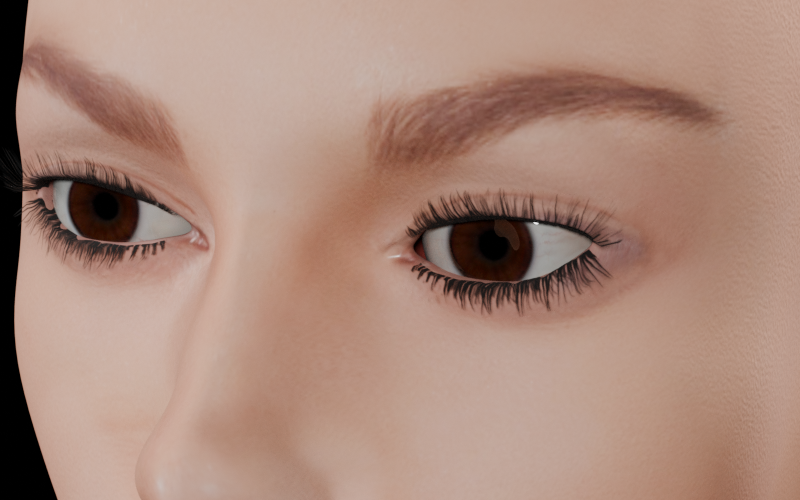
The high poly eyes have an extra layer which is fully transparent, so it would also work in a game engine, but it would not show any effect.
It will show the full effect, when the cornea is used with a different material in e.g. Blender cycles to allow extra reflections with a kind of a thin-glass shader (a mix of 10% glass and 90% transparency) then rest of the eye is created with a normal PBR shader with low roughness:
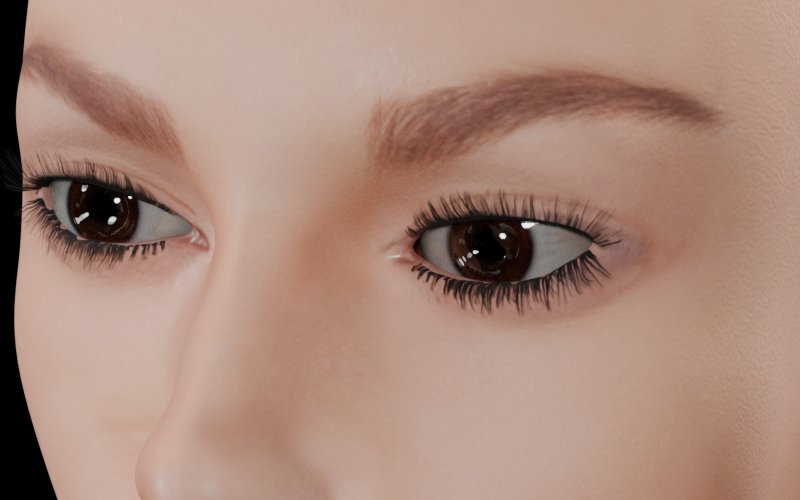
To use the MakeHuman2 eye colours you need to download the standard asset pack. It also creates the eye-meshes in user folder, which are used instead of the system ones then. The folder materials in USERHOME/data/eyes/hm08 will contain the eye materials and textures. Hint: the MakeHuman1 materials mostly had been made with litspheres, so when using PBR or phong shaders one has to change AO color to white.
When you create your own eye textures, you should use the textures as a template. Be aware that the png files need to have a transparent layer which is used by the cornea for high poly eyes.
It is possible to change the mesh. This mesh must be modelled on the eye helper to work properly. A similar UV unwrapping would allow to re-use eye textures.