
|
Home Table of Contents News Dev Blogs Gallery Timeline Legend Tags Sponsors |
|
Join us on... |

|

|

|

|
|
Home Table of Contents News Dev Blogs Gallery Timeline Legend Tags Sponsors |
|
Join us on... |
|
|
|
Current: Month Day, Year
A proxy is a complete mesh using a similar geometry like the base mesh. In contrast to clothes, it is also a full replacement of the body or base.
There are some types of proxies possible:
In the Proxy menu (see below) the proxy can be attached. In the example (a character similar to Ava from the movie Ex-Machina) the proxy is formed from hands, feet and face, the rest of the mesh (internal and external) are clothes. This proxy is used to hide geometry and allows the specific rim of face and the hands, since deletion of vertices would e.g. not allow the v-shape form of the neck.
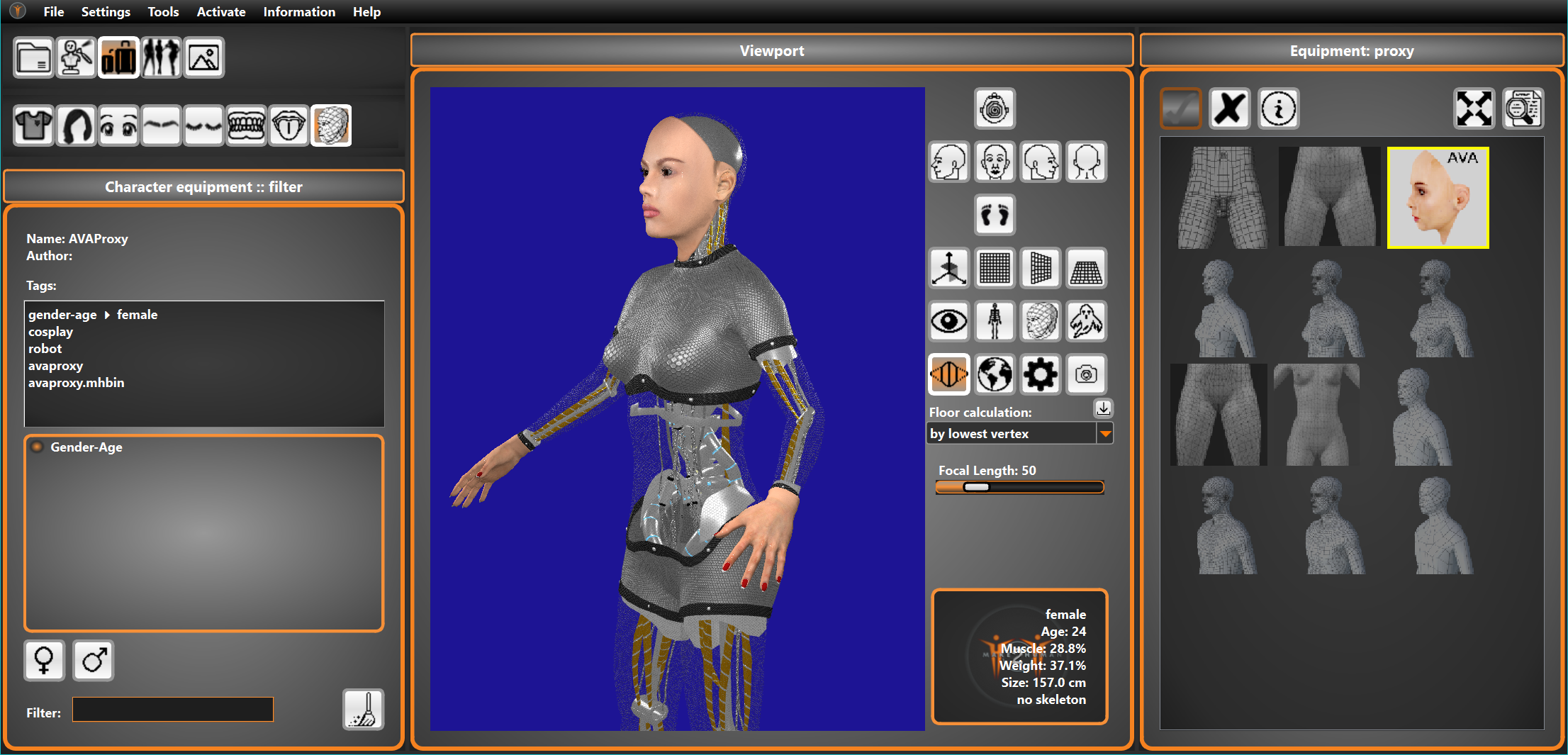
Proxies can either have own textures or use the existent ones. Usually additional geometry for genitals also demands additional UVs in the textures. A proxy used only to decrease geometry can also use an existing UV map. Our example works with the same textures as the non-robot character.
Usually a proxy should work exactly with a skeleton like the base. However for a proxy using less geometry a simpler skeleton would be used. Additional geometry like genitals you can only animate if bones are available. In the standard base mesh there are no such bones.
As long as a proxy has no “extra parts” like the male anatomic mesh clothing would work as expected. So the female anatomic proxy would work exactly the same way as the non-anatomic one. For characters wearing clothes however we recommend to use the version with less unvisible vertices.