
|
Home Table of Contents News Dev Blogs Gallery Timeline Legend Tags Sponsors |
|
Join us on... |

|

|

|

|
|
Home Table of Contents News Dev Blogs Gallery Timeline Legend Tags Sponsors |
|
Join us on... |
|
|
|
Current: Month Day, Year
Begin your MH2 Software Journey Here!
When you load the program the first time you will be asked where to point the custom content directory
towards-as seen here:
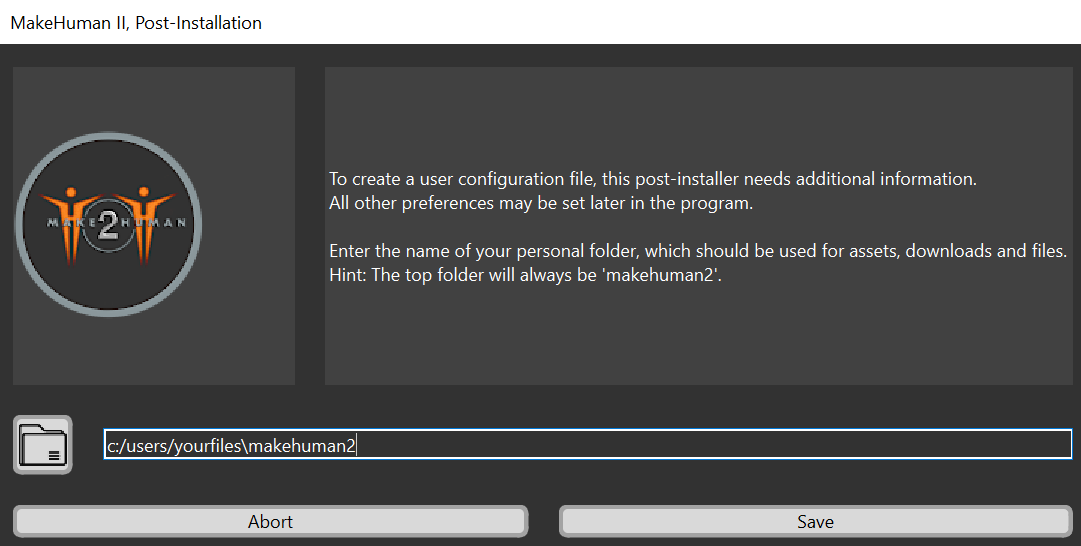
if this is a reinstall you simply show it where your existing content is located and accept this to
launch with your content at the ready! On some systems you may also see the python console running
in the background this can be ignored-please note closing it will close whole application at present!
If you are an advanced user, having this open is useful for debugging**
Upon the first launch you will see a main viewer window in the center, the mesh/character body selection
at left and the operational tool panel at right. You will also notice the available functions at the top
left, and a standard drop down menu at the very top left.
If you are a first time user of the Makehuman family of software-then you simply see our design-that is
wonderful! Welcome aboard-you are appreciated and we are happy to have you :D.
However if you are from the previous versions of makehuman 1 you will find many differences and similarities
to the previous titles!
In either case, please take the time to look around and feel out the UI and the available options, tools and
functions available now!